Prepare Offline Viewing Before You Lose the Connection
A title appearing in a watchlist does not mean it is stored on the device. Prepare offline viewing as a small preflight check: confirm support, finish the download and test the actual route you will use when the connection is gone.
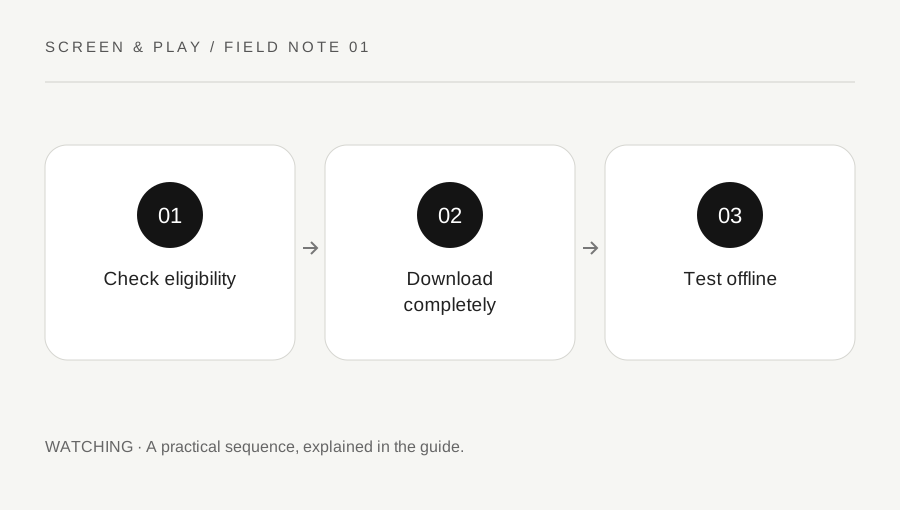
Original explanatory diagram. Examples illustrate a method or decision; they are not claims of personal testing.
Check the service, plan and device together
Use the streaming service’s current help page to confirm that downloads are supported by your plan, app and device. Features can differ between a phone, a tablet, a browser and a television app. Netflix, for example, lists supported download devices and notes that not every title is downloadable. Do not assume that a laptop behaves like a phone because both can stream.
Check the exact episode or film you want, including any language needs. A title available to stream may lack a download option. Treat an absent download control as a reason to check support rather than install an unofficial downloader. Service downloads are normally managed inside the authorised app, with their own access and expiry conditions.
Choose a small useful set
Estimate the available viewing time and select a few titles that fit it. A short journey may suit two episodes better than a long film you cannot finish. Include a simple backup if the first choice becomes unavailable. Avoid filling the whole device merely because a large library feels reassuring.
For an illustrative four-hour journey, allow for boarding, interruptions and time without headphones before deciding how much entertainment you need. Check available storage and the app download-quality options. Higher quality can use more space and take longer to transfer, but the actual size varies. Use the displayed requirements rather than inventing a fixed file size per hour.
Download early enough to resolve errors
Use an appropriate connection and wait for the app to show completion. A progress circle or queued status is not the same as a completed download. Keep the device charged and follow the app instructions about remaining open or connected. If a download fails, note the exact error and use the official help route.
Check whether the selected audio or subtitle option is available for the downloaded version. Availability may differ by title and location. Do not leave app updates or account recovery until the last minutes before departure. Completing the setup earlier gives you time to choose another eligible title without treating a connection problem as an emergency.
Test the actual offline path
Open the app download area and start the title while offline in a controlled check. Confirm the headphones and the playback controls you will use. Keep the test short, and read any expiry information because starting playback may affect the viewing window for some services. Do not assume every service uses the same timing rules.
Netflix states that viewers need to remain signed in to access downloads offline. That is a useful reminder not to sign out as a routine pre-trip cleanup. A successful test confirms this device at this time; it does not guarantee access indefinitely. Recheck the displayed status close to travel, especially if the download was made well in advance.
Clean up deliberately after the trip
Delete watched downloads through the app when you no longer need them, rather than deleting unfamiliar system folders. Check whether automatic-download features are enabled and whether they fit your data and storage preferences. A feature that helpfully replaces episodes at home may behave differently from the small manual set you planned.
Keep a short note of what worked: supported device, useful quality setting and any access issue. Before the next journey, recheck current service rules instead of relying on that note as permanent policy. Downloads are a temporary viewing arrangement, not an independent archive or a promise that a subscription title will always remain available.
A practical checklist
Choices are saved in this browser. Reset them here or clear this site’s browser storage.
Questions that come up
Does adding to a watchlist download the title?
No. Use the service download feature and confirm completed status on the device you will carry.
Can I copy the download to another device?
Use the service supported download process on that device. Do not assume an app-managed download is a transferable ordinary video file.
Will downloaded films last forever?
No. Access and expiry rules vary, and a subscription or licence change can affect availability.
References & scope
Background references checked on 18 October 2026. Worked examples and diagrams are original teaching material.