Prepare a Local Co-op Evening Around the Exact Game Mode
Multiplayer is a broad label. Before inviting people, check whether the game supports the number of local players, input devices and shared-screen arrangement you intend to use, then run a small setup test.
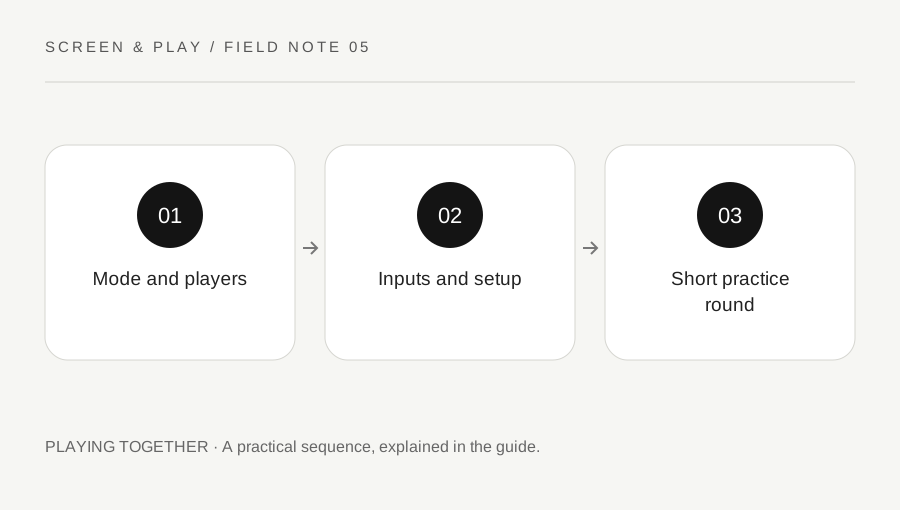
Original explanatory diagram. Examples illustrate a method or decision; they are not claims of personal testing.
Verify the mode rather than the broad tag
Read the official store details and developer help for the exact platform version. Local co-op, online co-op and competitive multiplayer describe different arrangements. A game can support one without the others. Check whether the intended mode allows two, three or four people on the same system and whether that limit changes by mode.
Write a simple session requirement: three people, one television, one host system and a cooperative mode. Compare the game against that requirement. Do not assume a trailer showing several characters proves local support. A clear statement from the current listing or developer is a better basis for planning the evening.
Check input devices as a set
List which person will use each controller, keyboard or other input. Confirm the supported arrangement for the game and platform. A computer recognising two controllers is not proof that the game will assign them to separate players. Some games expect a particular join action or input combination at the menu.
Connect the intended devices and test joining before guests arrive. Charge batteries or prepare the supported cable arrangement, and make sure cables do not cross a walkway. Keep the setup practical for the room. If a required device is missing, choose another supported game mode rather than assuming two people can share controls that were designed for one player.
Separate local play from remote streaming
If someone joins from elsewhere, verify the supported online method. Steam Remote Play Together can stream supported local multiplayer games to other players, but it is a different arrangement from everyone sitting beside the host. Check the game support, host performance, connection and player access options in current Steam guidance.
Do not promise that remote play will feel identical to local input under every network condition. Try a short private session first and check sound, controls and permissions. Explain who is hosting and what happens if the host leaves. A remote option can be useful, but it should be tested as the actual plan rather than added at the last minute as a guaranteed fallback.
Choose a small first round
Start with a tutorial or low-stakes mode that teaches the controls. Let everyone check text size, audio and accessibility options before the main session. Avoid making an inexperienced player learn while the rest of the group is already competing at full speed. Ask what pace works for the people present.
For an illustrative ninety-minute evening, plan a short setup period, one practice round and a natural break before deciding whether to continue. You do not need to fill every minute with a different game. One supported, understandable mode can create a better session than a long list of untested options and repeated downloads.
Agree the stopping and save arrangement
Check whether shared progress belongs to the host profile, separate player profiles or another game-specific system. Do not assume every guest receives an independent save. Read the developer guidance if continuation matters. Agree whether the group wants a one-off session or a campaign they will return to together.
At the end, use the normal save and exit route and leave time for any supported sync. Remove guest access where appropriate without deleting progress casually. Keep a short note of the mode and working input arrangement for next time. The planning goal is a comfortable shared session with known requirements, not a claim that every multiplayer game fits every group.
A practical checklist
Choices are saved in this browser. Reset them here or clear this site’s browser storage.
Questions that come up
Does multiplayer mean couch co-op?
No. Check whether the exact game and platform support the local cooperative mode you want.
Will any recognised controllers work together?
The game input arrangement matters as well as device compatibility. Test the actual combination.
Does Remote Play Together create native online multiplayer?
It streams a supported local multiplayer session. Read the Steam description and game support rather than assuming identical behaviour.
References & scope
Background references checked on 18 October 2026. Worked examples and diagrams are original teaching material.