Review Entertainment Subscriptions Before the Next Renewal
A subscription review is easier when you separate the service, the billing provider and the next renewal. Build a small factual list, then make changes through the provider that actually manages the payment.
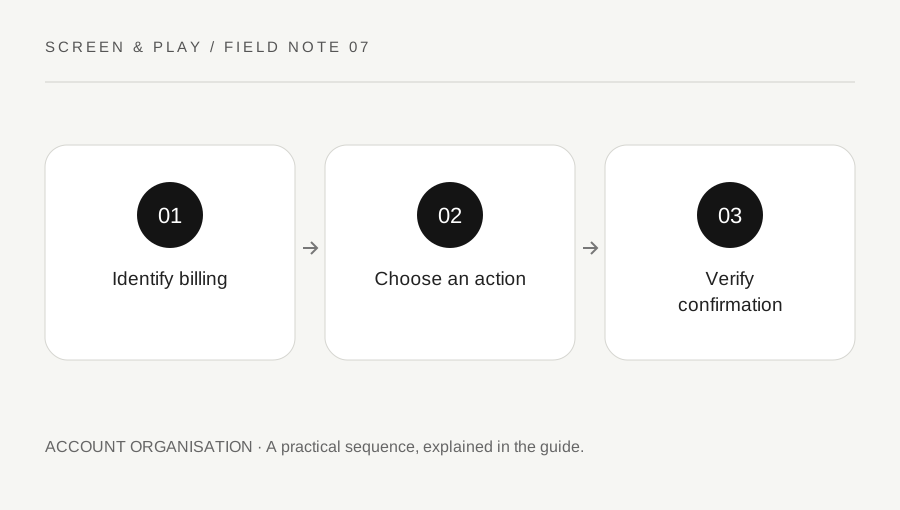
Original explanatory diagram. Examples illustrate a method or decision; they are not claims of personal testing.
List active services and billing routes
Open legitimate account pages and recent receipts to identify each active entertainment subscription. Record the service name, plan, billing provider, next charge date and where cancellation is managed. Do not assume a service bills you directly because its app is installed on the television. App stores and bundle providers may manage the subscription.
Keep payment details out of a shared household note. A masked reference and the account owner are enough for ordinary organisation. If a charge is unfamiliar, investigate through the bank and provider’s official routes rather than clicking a cancellation link in an unexpected message. A review should clarify access, not create a new account-security problem.
Choose using actual upcoming use
Ask what you expect to watch or play during the next billing period. Use a small list of concrete choices rather than a vague fear of missing out. Check current catalogue availability for the relevant location before deciding a service is essential. A title remembered from last year may no longer be included.
For an illustrative household with three services, one may support a weekly shared show while another has no planned use. That observation can guide a decision without assigning a universal best service. Consider other household users before changing access, especially where profiles or a bundle are shared through a supported arrangement. Do not cancel another person account without their authority.
Read the effect of the chosen action
Cancellation, pause and plan change can have different consequences. Check the current provider’s instructions, effective date and any bundle conditions. Netflix, for example, directs some users to their payment partner when cancellation is not offered in the account. Apple provides a separate route for subscriptions billed through Apple.
Do not assume deleting the app ends billing. Read the actual cancellation flow and confirmation. Similarly, do not assume a request creates a refund or immediate loss of access; policies and local rights vary. If a disputed charge or contractual question arises, use the appropriate provider and qualified advice rather than treating this organisational checklist as a legal rule.
Complete and verify one change at a time
Use the official account or billing-provider page, review the selected subscription and complete the required steps. Save the confirmation or status showing the effective date. Return to the subscription list to check that the next renewal information reflects the intended action. Avoid making several hurried changes while unsure which provider controls each one.
Set a reminder only when there is a real future decision, such as the end of a trial or a confirmed pause. Include enough context to act without reopening the whole investigation. A reminder that says check service plan before a specific date is more useful than an unexplained recurring alert to save money.
Keep a lightweight review habit
Update the list after a new subscription or bundle change. Remove obsolete reminders once the decision is complete. A quarterly check may suit one household, while another only needs a review before an annual renewal. Choose a manageable rhythm rather than building an elaborate tracker for a few services.
When you restart a service, read the current plan and billing terms instead of assuming the old offer still exists. Record who needs access and the next useful review date. The result should be a clear account arrangement that matches real use, with evidence of changes you completed, rather than a promise of a particular saving for every reader.
A practical checklist
Choices are saved in this browser. Reset them here or clear this site’s browser storage.
Questions that come up
Does uninstalling an app cancel the subscription?
Do not assume so. Use the actual billing provider cancellation process and verify confirmation.
Can I cancel every service inside its app?
No. Some subscriptions are managed by an app store or payment partner. Check receipts and official guidance.
Does cancellation guarantee a refund?
No. Refund eligibility and local rights depend on the circumstances. Use the provider official process for the specific charge.
References & scope
Background references checked on 18 October 2026. Worked examples and diagrams are original teaching material.